MVP REDESIGN

MVP REDESIGN

UX CASE STUDY

UX CASE STUDY

CONEPTUAL

CONEPTUAL

HabitHero

HabitHero

HabitHero

Helping users build consistent habits through clear progress tracking

Helping users build consistent habits through clear progress tracking

PROJECT OVERVIEW

PROJECT OVERVIEW

Transforming Tracking Data

into Actionable Insights


HabitHero is a habit and activity-tracking MVP designed to help users monitor their performance and health metrics. Early feedback showed that while the MVP collected valuable data, users struggled to understand and engage with it meaningfully.

HabitHero is a habit and activity-tracking MVP designed to help users monitor their performance and health metrics. Early feedback showed that while the MVP collected valuable data, users struggled to understand and engage with it meaningfully.

The Problem: Users of HabitHero struggle to stay motivated and track their progress due to limited personalised exercise tracking, clear progress visualisation and a lack of meaningful health insights, resulting in frustration and disengagement.

The Problem: Users of HabitHero struggle to stay motivated and track their progress due to limited personalised exercise tracking, clear progress visualisation and a lack of meaningful health insights, resulting in frustration and disengagement.

SOLUTION

SOLUTION

A redesigned activity experience that breaks down movement more meaningfully, pairs steps with calories burned, and introduces flexible time-based views to highlight trends, support goal setting, and improve long-term progress understanding.

A redesigned activity experience that breaks down movement more meaningfully, pairs steps with calories burned, and introduces flexible time-based views to highlight trends, support goal setting, and improve long-term progress understanding.

Role

UX / Product Designer

Role

UX / Product Designer

Platform

Mobile (IOS)

Platform

Mobile (IOS)

Project Type

MVP Redesign

Project Type

MVP Redesign

Focus

Activity Tracking

Focus

Activity Tracking

USER INSIGHTS

USER INSIGHTS

Users Struggle to Interpret Progress Without Clear Trends and Context


Insights were gathered through usability feedback on the MVP (M2 F1 38±6), review of tracking interactions and analysis of user comments. Four key issues consistently emerged:


Limited Activity Options

Users expressed dissatisfaction with the available activity categories, finding them too restrictive for their diverse workout routines and daily activities.

Users expressed dissatisfaction with the available activity categories, finding them too restrictive for their diverse workout routines and daily activities.

Unclear Calorie Relationship

The connection between caloric intake and calories burned was not intuitive, making it difficult for users to understand their overall energy balance.

The connection between caloric intake and calories burned was not intuitive, making it difficult for users to understand their overall energy balance.

Low Tracking Engagement

Users want dynamic progress tracking and goal-setting valuing clarity and actionable metrics.

Users want dynamic progress tracking and goal-setting valuing clarity and actionable metrics.

Static vs. Dynamic Metrics

Heart rate trends were perceived as more meaningful than single target values, suggesting users value patterns over point in time data.

Heart rate trends were perceived as more meaningful than single target values, suggesting users value patterns over point in time data.

DESIGN DIRECTION

DESIGN DIRECTION

Goals and Principles


Design Goals


01 Improve Activity Selection

Expand and organise activity options to better match diverse user needs and workout routines.

02 Clarify Calorie Relation

Make the connection between calories consumed and burned immediately clear and understandable.

03 Encourage Interaction

Drive engagement with tracking features through meaningful trend analysis and visualisations.

04 Replace Static targets

Shift from point in time targets to dynamic indicators that show progress and patterns.

Design Principles


Trends over snapshots

Trends over snapshots

Prioritise change over time to provide context and meaning.

Relationships create clarity

Relationships create clarity

Show how metrics connect to help users understand their overall balance.

Meaning before metrics

Meaning before metrics

Focus on insights and interpretation, not just raw numbers.

DESIGN ITERATION AND EVOLUTION

DESIGN ITERATION AND EVOLUTION

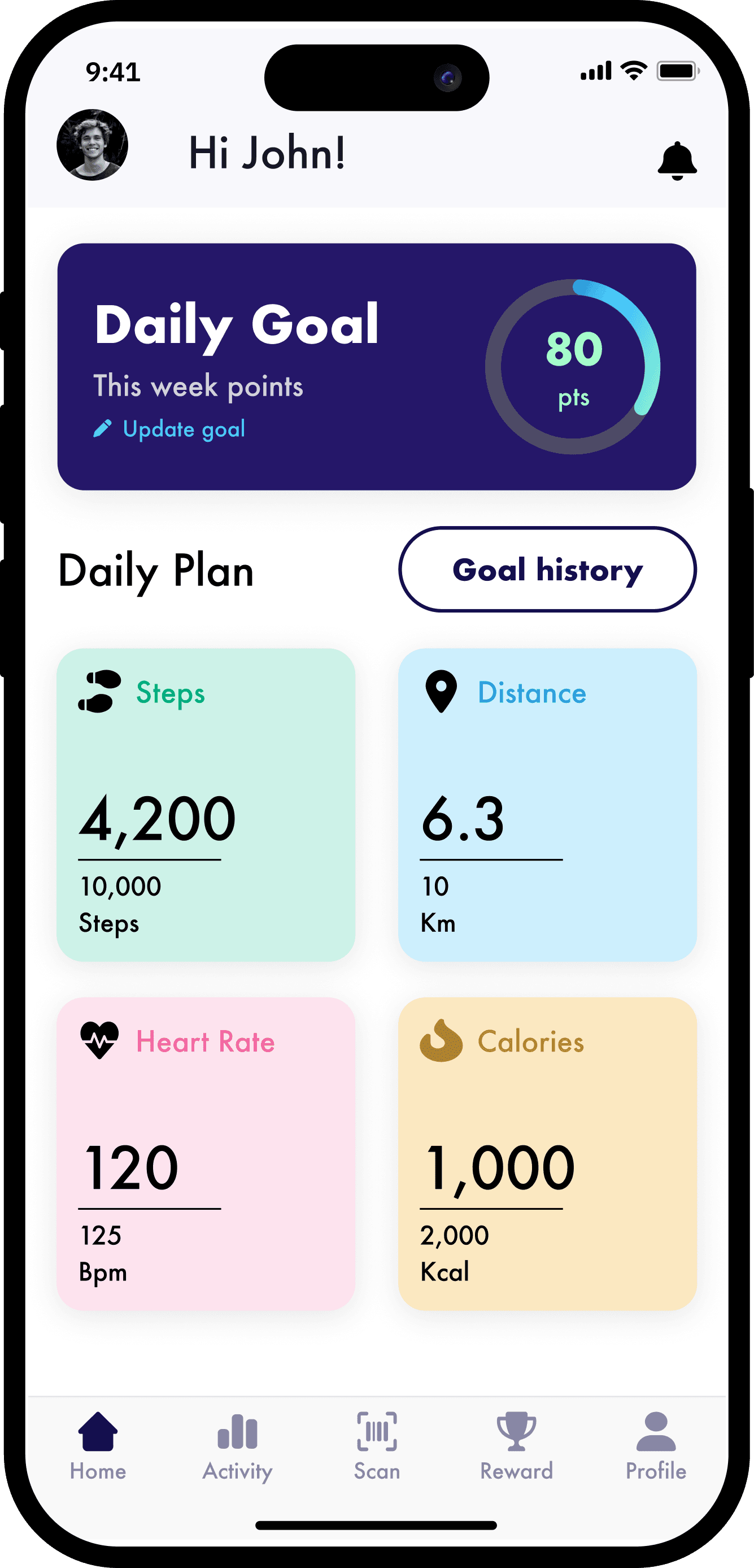
Provided MVP


Activity options felt limited

Calorie intake vs burn lacked clarity

No trend based analysis

Static goal setting

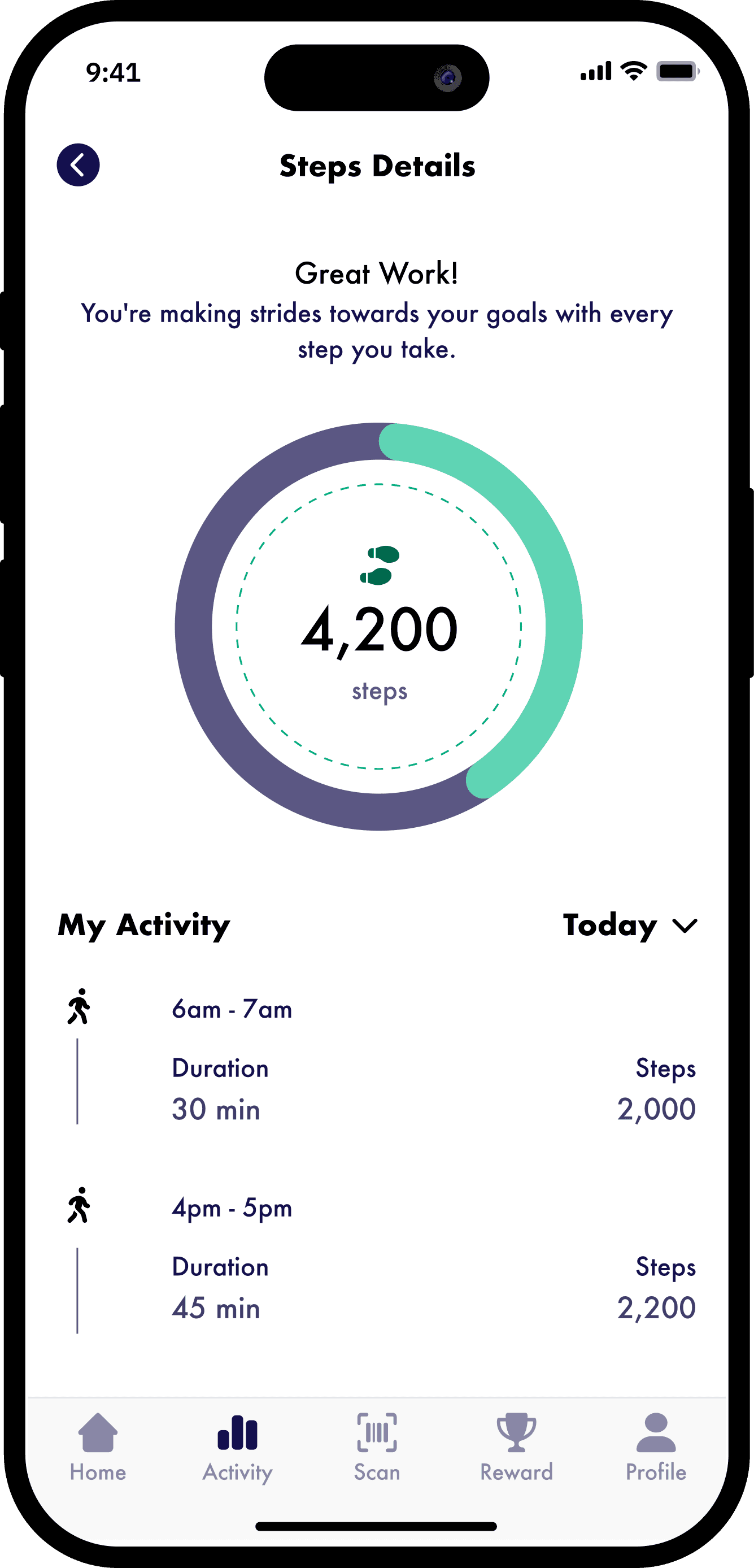
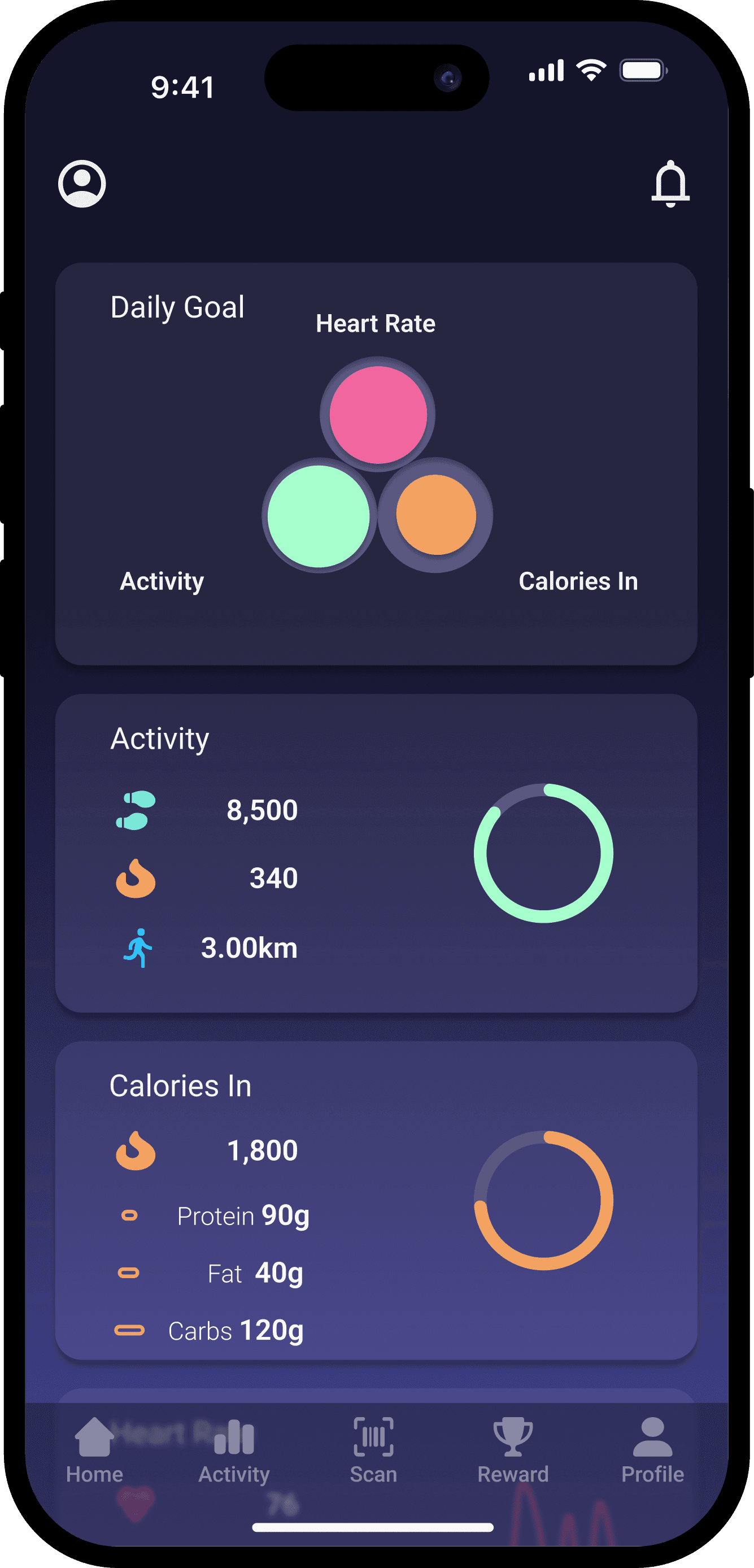
Initial Design

KEY IMPROVEMENTS

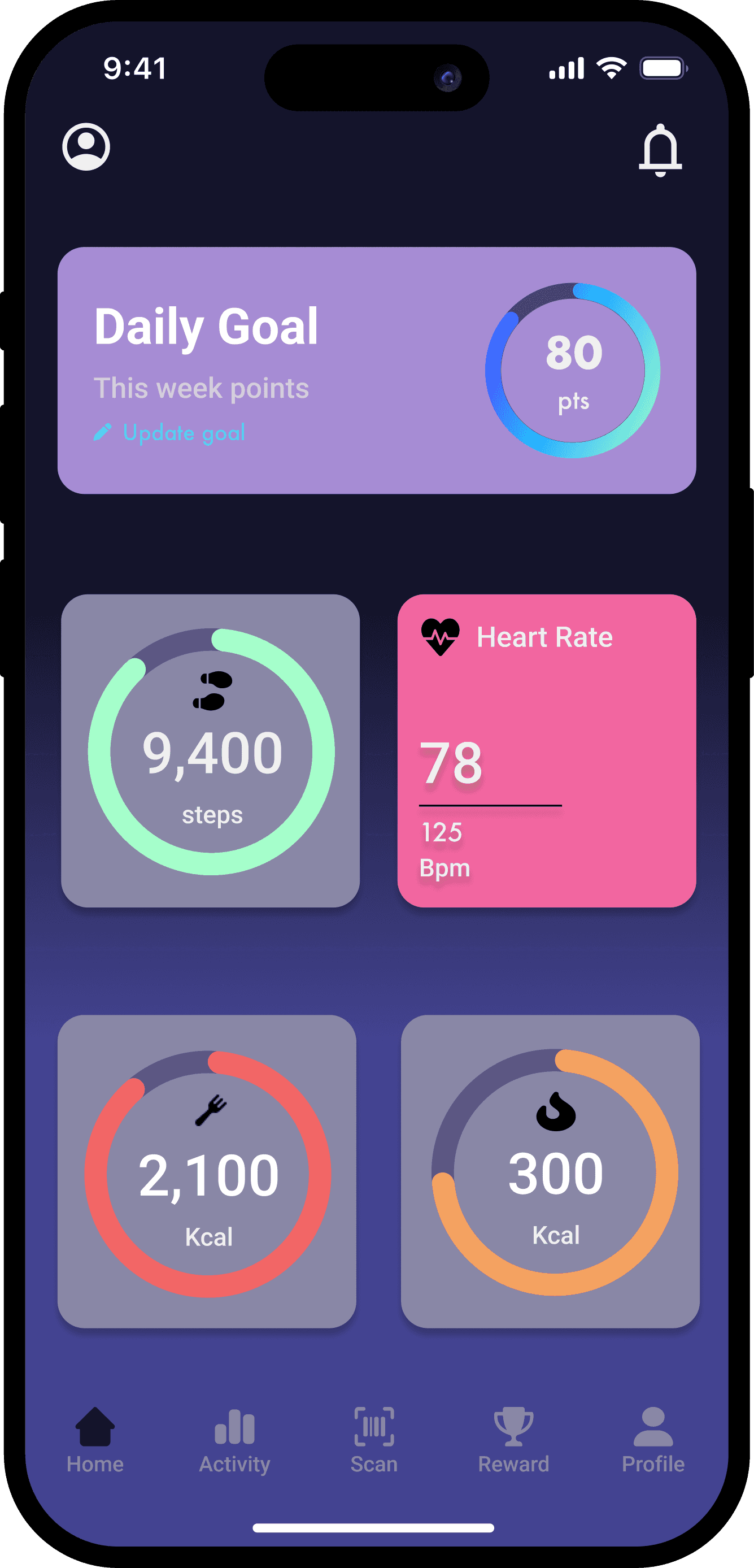
-> Refined and optimised existing activity options

-> Separated calories in vs out for cleaner comparison

-> Introduced time based progress views

-> Added a goals entry point

User Testing


Testing was done on the Initial Solution helping shape the Final Design


POSITIVE FINDINGS

POSITIVE FINDINGS

-> Users found it clear and intuitive to toggle between different time frames when viewing their progress.

-> Users found it clear and intuitive to toggle between different time frames when viewing their progress.

-> The interface effectively presented key information, making it easy for users to understand their progress at a glance.

-> The interface effectively presented key information, making it easy for users to understand their progress at a glance.

ISSUES IDENTIFIED

ISSUES IDENTIFIED

-> Users expressed a desire for key metrics to be consistently displayed across all pages to avoid unnecessary navigation.

-> Users expressed a desire for key metrics to be consistently displayed across all pages to avoid unnecessary navigation.

-> Scatter graphs were perceived as difficult to interpret, particularly when a larger number of data points were displayed.

-> Scatter graphs were perceived as difficult to interpret, particularly when a larger number of data points were displayed.

-> The placement of the goal button felt disconnected from the flow.

-> The placement of the goal button felt disconnected from the flow.

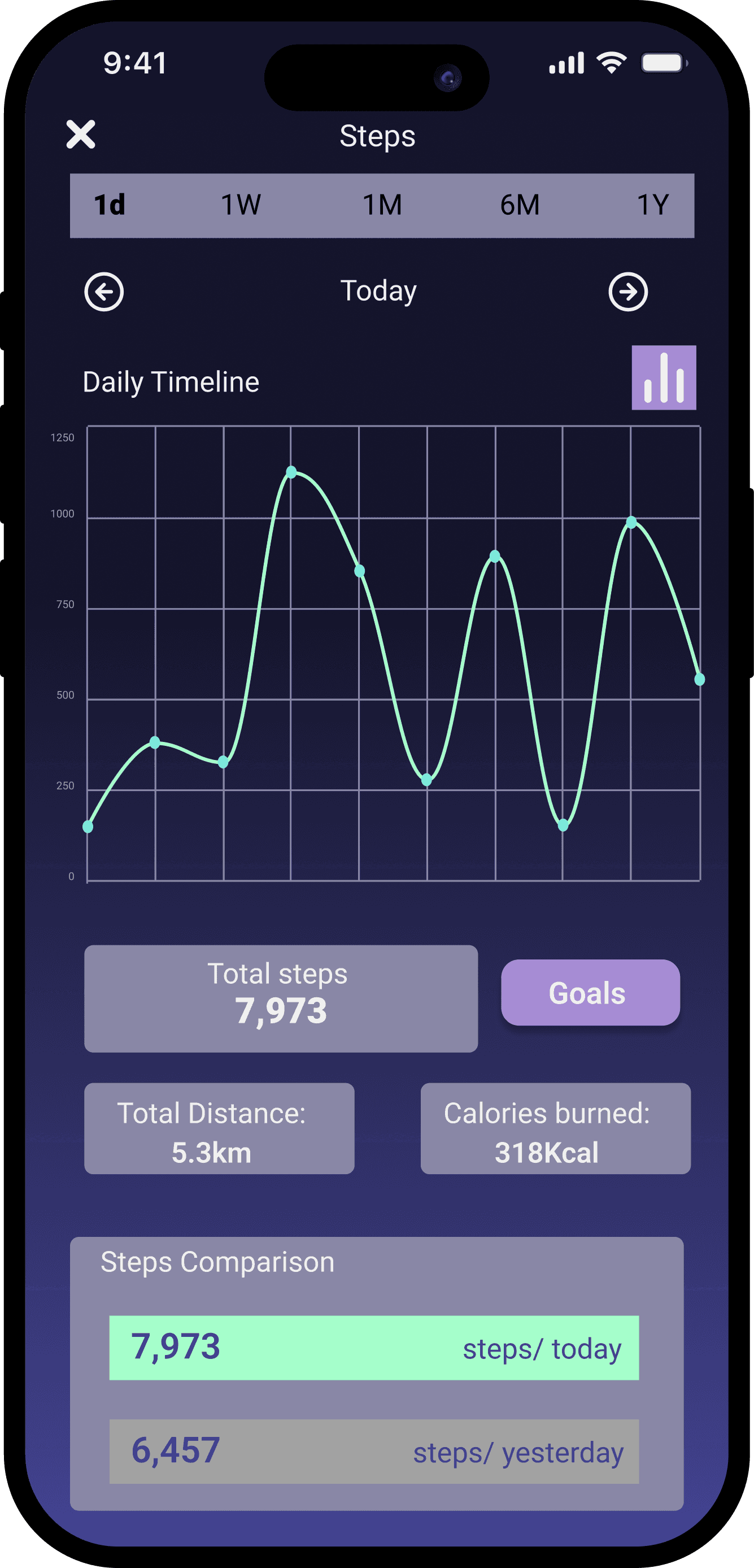
Final Design


Interact with the app! (hint: click the activity section)


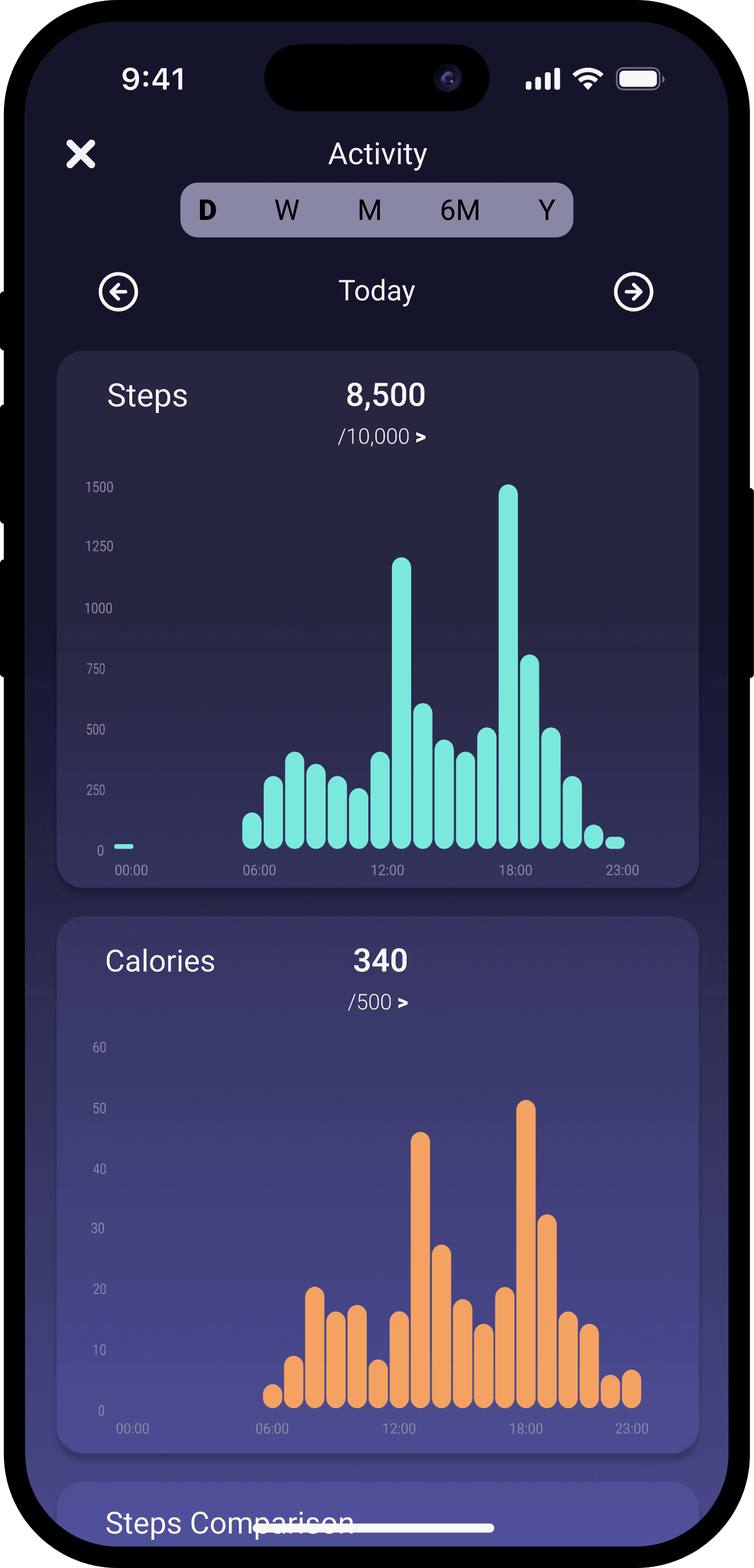
Activity Breakdown: Separating walking vs running steps for more meaningful insights.

Activity Breakdown: Separating walking vs running steps for more meaningful insights.

Calories Integration: Displaying calories burned alongside steps to make progress more actionable.

Calories Integration: Displaying calories burned alongside steps to make progress more actionable.

Progress Toggles: Allowing users to switch between 1 day, 1 week, 1 month, 6 months, and 1 year views.

Progress Toggles: Allowing users to switch between 1 day, 1 week, 1 month, 6 months, and 1 year views.

Average Steps: Adding contextual performance metrics to help users understand long-term progress.

Average Steps: Adding contextual performance metrics to help users understand long-term progress.

Adjustable Goals: Enabling users to customise their step goals dynamically to stay motivated.

Adjustable Goals: Enabling users to customise their step goals dynamically to stay motivated.

IMPACT

IMPACT

Expected Outcomes


As a conceptual project, the updated experience aims to increase engagement with tracking features, improve user satisfaction with dynamic displays and help users better understand performance trends.

SUCSESS METRICS

  • Increased interaction with tracking views and trend analysis features

  • Higher retention around activity features and regular logging

  • Positive qualitative feedback on data clarity and usefulness

SUCSESS METRICS

  • Increased interaction with tracking views and trend analysis features

  • Higher retention around activity features and regular logging

  • Positive qualitative feedback on data clarity and usefulness

NEXT STEPS

  • To broaden appeal and deepen engagement, I would expand the Activity section to include more exercise options such as resistance training, rowing, swimming, and cycling, catering to a wider range of user goals and routines.

  • Future work would include usability testing on trend comprehension, validating activity relevance with a broader user base, and refining data explanations to ensure accessibility for all fitness levels.

NEXT STEPS

  • To broaden appeal and deepen engagement, I would expand the Activity section to include more exercise options such as resistance training, rowing, swimming, and cycling, catering to a wider range of user goals and routines.

  • Future work would include usability testing on trend comprehension, validating activity relevance with a broader user base, and refining data explanations to ensure accessibility for all fitness levels.

Explore Other Projects

Gillian Caplan
Sky Glass
Cal Howarth

Create a free website with Framer, the website builder loved by startups, designers and agencies.